

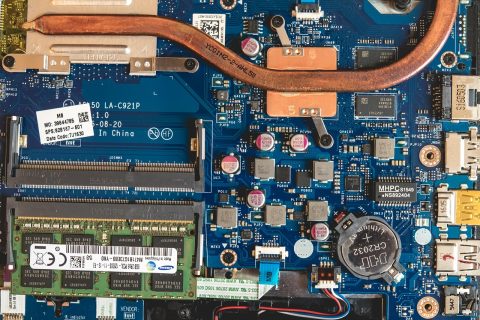





Ever wondered why your high‑end laptop feels sluggish when you try to run a modern AI model? The answer often comes down to RAM, the short‑term memory that lets a computer juggle data in real time.
Why RAM Matters for AI Workloads
Artificial‑intelligence models, especially large language models, need to load millions of parameters and intermediate results into memory. When RAM is insufficient, the system must swap data to slower storage, causing noticeable lag or outright failures. For developers and hobbyists, the temptation is to upgrade a desktop or laptop with more RAM, assuming that more memory will make local AI experiments smoother.
OpenAI’s View on RAM in Personal PCs
Recent comments from OpenAI’s chief executive have sparked a fresh debate. Sam Altman described the RAM in a typical personal computer as “quite terrible” for running AI, noting that the company’s data centers could consume as much as 40 % of the global supply. The implication is clear: the scale at which OpenAI trains and serves models far exceeds what a consumer‑grade machine can handle.
Data‑Center Efficiency vs. Local Memory
Data centers benefit from specialized hardware, high‑bandwidth interconnects, and the ability to pool memory across many servers. This collective approach allows OpenAI to achieve utilization rates that are impossible on a single workstation. In contrast, a laptop’s RAM is isolated, limited by form‑factor constraints and power budgets.
What This Means for AI‑Tool Users
For readers of the “AI Tools” section, the takeaway is practical rather than philosophical. If you are experimenting with pre‑trained models via cloud APIs, the amount of RAM in your local machine is largely irrelevant. The heavy lifting happens on remote servers, and the only memory you need is enough to handle the API client and any lightweight preprocessing.
If you plan to run models locally—such as open‑source LLMs or vision models—consider the following options:
- Use a cloud‑based virtual machine with dedicated GPU and high‑capacity RAM.
- Employ model quantization or pruning to reduce memory footprints.
- Leverage off‑loading tools that stream parts of the model from disk as needed.
Future Trends and Supply Considerations
The claim that OpenAI could absorb a sizable share of the RAM market raises questions about supply chain pressure. While the exact figure is not independently verified, industry analysts have noted a steady increase in demand for high‑capacity DDR5 modules as AI workloads grow. Consumers may see longer lead times and higher prices for large‑capacity kits, especially those marketed for gaming or workstation use.
Manufacturers are responding with higher‑density chips and new packaging technologies, but the fundamental economics remain: demand from AI‑heavy enterprises will continue to shape availability and pricing for the broader market.
For most AI enthusiasts, the prudent path is to let cloud providers handle the memory‑intensive phases and reserve local RAM upgrades for tasks that truly benefit—such as data preprocessing, model fine‑tuning on small datasets, or running inference with lightweight models.
This article is based on publicly reported information at the time of writing.
Source: Yahoo Finance