

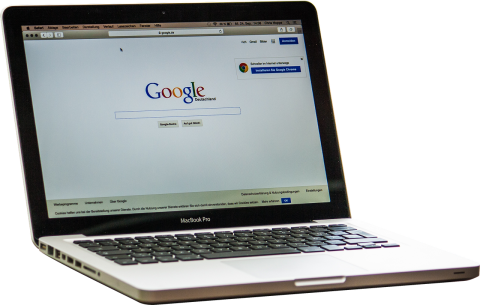





When Apple unveiled its latest MacBook Pro, the buzz was louder than ever—yet the most noteworthy move wasn’t a new feature, it was the one that didn’t appear. The decision to keep the laptop free of a touchscreen marks a strategic choice that aligns with Apple’s long‑standing design philosophy.
Why the Touchscreen Rumor Gained Traction
For years, analysts and fans have speculated that Apple would finally merge the iPad’s touch capabilities with the MacBook’s power. The idea fits a broader industry trend toward hybrid devices, and Apple’s own iPad Pro and Magic Keyboard have blurred the line between laptop and tablet. As a result, search queries for “MacBook Pro touchscreen” spiked ahead of the launch.
What Apple Actually Delivered
The new MacBook Pro brings a suite of upgrades that many consider the most compelling launch in recent memory. Highlights include:
- Apple Silicon performance boost – the latest M‑series chip delivers faster CPU and GPU cores while improving energy efficiency.
- Enhanced display technology – brighter mini‑LED panels with higher contrast and ProMotion support for smoother scrolling.
- Expanded ports – a return of HDMI, SD card slot, and MagSafe charging, addressing long‑standing user complaints.
- Improved battery life – up to 20 hours of video playback, thanks to tighter hardware‑software integration.
Each of these upgrades directly tackles the performance and connectivity gaps that professionals have highlighted over the past few years.
The Strategic Choice to Skip Touch
Apple’s decision to forgo a touchscreen isn’t a concession; it’s a reaffirmation of the Mac’s core identity. The company has repeatedly emphasized that macOS is optimized for keyboard, trackpad, and mouse input, offering precision that touch cannot match for many creative and development workflows. Introducing touch would require a major redesign of the operating system, potentially fragmenting the user experience.
Furthermore, Apple’s own statements suggest that the company views the iPad and MacBook as complementary rather than convergent products. By keeping the MacBook Pro touch‑free, Apple preserves a clear product distinction, encouraging users who need touch to adopt the iPad ecosystem while retaining the MacBook for tasks that demand raw processing power and traditional input.
Impact on Users and the Market
For professionals—video editors, software developers, and designers—the absence of a touchscreen is likely a relief. They can continue to rely on the precise control of a trackpad or external mouse without adjusting to a hybrid interface. At the same time, the upgraded hardware may attract users who were on the fence about switching from Windows‑based laptops, reinforcing Apple’s premium positioning.
From a market perspective, the launch reinforces Apple’s focus on incremental, high‑impact improvements rather than chasing every trend. Competitors that have added touch to their laptops often report mixed reception, with many users disabling the feature after purchase. Apple’s restraint may set a benchmark for future laptop design choices.
What to Do Next If You’re Considering an Upgrade
If you’re evaluating the new MacBook Pro, weigh the hardware enhancements against your workflow needs. The absence of a touchscreen should not be a deterrent unless you specifically require touch input for drawing or note‑taking, in which case an iPad with Apple Pencil might be a better fit.
Check for promotional bundles or educational discounts, as Apple frequently pairs the MacBook Pro with accessories like the Magic Keyboard or external displays. Also, keep an eye on software updates; Apple often refines performance and adds features post‑launch.
Ultimately, the device’s strength lies in its speed, display quality, and connectivity, not in a touch screen. For most power users, that combination represents Apple’s best MacBook Pro decision this week.
This article is based on publicly reported information at the time of writing.
Source: 9to5Mac